
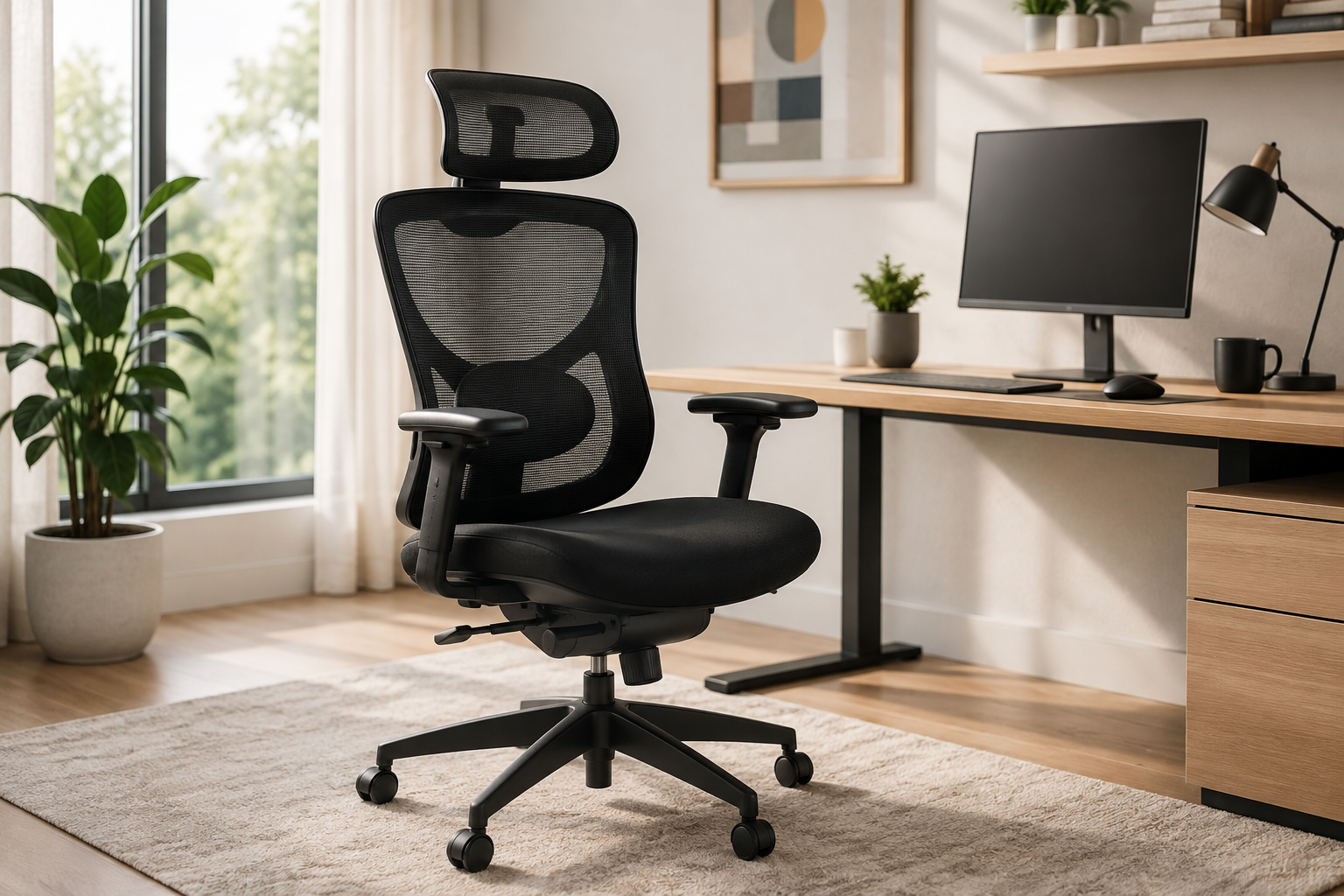
A supportive office chair can make a noticeable difference when work, study, gaming, or creative projects keep you at a desk for hours. ProtoArc offers ergonomic seating designed around adjustable support, breathable materials, and practical controls. Instead of treating comfort as a single feature, the brand combines seat positioning, back support, arm adjustment, headrest placement, and controlled recline so users can build a sitting position that better matches their body and workspace.
Explore ProtoArc ergonomic office chairs on Amazon
Why an Ergonomic Office Chair Matters
A basic chair may feel acceptable for a short task, but small discomforts become more obvious during a full workday. A seat that is too high can leave the feet unsupported. A seat that is too low can place extra pressure around the hips and knees. Armrests that sit too high may lift the shoulders, while a backrest with poor lower-back support can encourage slouching.
Ergonomic seating cannot replace movement, exercise, or healthy work habits, but it can provide a more supportive starting point. The most useful chair is one that lets you change position instead of forcing the body into a single fixed posture. Adjustability also matters in shared offices because different users can quickly change the chair to suit their height, desk, and preferred working position.
Adjustable Seat Height and Depth
Seat height is usually the first setting to adjust. Ideally, the feet should rest flat on the floor or on a stable footrest while the knees remain close to a right angle. The forearms should reach the desktop without requiring the shoulders to rise. This relationship between chair height and desk height is important because even a supportive chair can feel uncomfortable when it is paired with a workstation that is too high or too low.
Seat depth affects how the chair supports the thighs. A useful starting point is to leave a small space between the front edge of the seat and the back of the knees. Too much depth can press behind the knees, while too little depth may reduce thigh support. If a ProtoArc model offers adjustable seat depth, users can fine-tune this distance for a more personalized fit.
Breathable Mesh for Long Sessions
Mesh backrests allow air to circulate and can feel cooler than heavily padded upholstery, especially in warm rooms or during extended sessions. The material also gives an office chair a clean, modern appearance that works well with many home-office styles. A well-designed mesh back can flex slightly with movement while still providing a stable surface across the upper and lower back.
The padded seat deserves equal attention. Cushion thickness alone does not determine comfort; shape, density, width, and edge design also matter. A gently rounded front edge can reduce pressure on the thighs, while a supportive foam layer helps distribute weight more evenly. Buyers should compare the listed seat dimensions with an existing chair they already find comfortable.
Lumbar Support and High-Back Design
The lower back naturally curves inward, and a lumbar support is intended to help maintain that shape. The best position should feel supportive without creating a hard pressure point. Start with a moderate setting and make small changes over several days. Immediate maximum pressure may feel noticeable, but stronger support is not automatically better.
A high-back design supports more of the upper body and can feel especially useful when reclining. It may also help keep the shoulders centered during focused computer work. Users should still avoid leaning heavily into the backrest for the entire day. Alternating between upright work, gentle recline, standing, and short walking breaks is usually more comfortable than holding one posture for hours.
View ProtoArc office-chair options and adjustable seating
Headrest Position and Neck Comfort
An adjustable headrest is most helpful when it supports the back of the head without pushing it forward. Height and angle controls can make a significant difference because people have different torso and neck proportions. During focused typing, some users may barely touch the headrest. During reading, calls, or reclined breaks, it can provide more noticeable support.
The headrest should not be used to compensate for a poorly positioned monitor. The top portion of the main screen should generally be near eye level, with the screen placed at a comfortable viewing distance. Correcting monitor position can reduce the tendency to lean the head forward, while the chair supports a more neutral upper-body position.
Armrests and Shoulder Position
Armrests should lightly support the forearms while allowing the shoulders to remain relaxed. If the armrests are too high, they may encourage raised shoulders. If they are too low or too far apart, the user may lean to one side. Height-adjustable arms are useful, while additional inward, outward, forward, or backward movement can help align the arms with different keyboards and desk shapes.
Armrests also need to fit beneath or beside the desk. Measure the available clearance before ordering, particularly when the desk includes drawers or a thick support frame. In small rooms, adjustable arms that lower or move out of the way can make it easier to slide the chair beneath the desk after work.
Recline, Tilt Tension, and Movement
A controlled recline lets the user change the angle between the torso and thighs throughout the day. This can reduce the feeling of being locked in place and may make reading or video calls more comfortable. Tilt tension determines how much effort is needed to lean back. A setting that is too loose may feel unstable, while excessive resistance can make the recline difficult to use.
Some chairs allow the backrest to lock at selected angles, while others provide a free-moving rocking function. Neither approach is universally best. People who prefer frequent movement may like a responsive tilt, while users who perform detailed tasks may appreciate a stable locked position. The important point is to understand the controls and adjust them gradually.
Features to Compare Before Buying
- Seat dimensions: Confirm that the width and depth suit your body and leave room to change position.
- Height range: Check whether the chair can align your elbows with the desk while keeping the feet supported.
- Lumbar adjustment: Compare the available height, depth, or pressure controls.
- Armrests: Consider how many directions they adjust and whether they fit under the desk.
- Headrest: Look for height and angle control if neck support is important during reclined use.
- Recline: Review the tilt range, tension control, and available locking positions.
- Weight capacity: Follow the manufacturer’s stated limit and recommended usage guidance.
- Floor compatibility: Check the caster design and use a protective mat on delicate flooring.
- Assembly: Review the parts list and set aside enough clear space for safe construction.
How to Set Up a ProtoArc Chair
Begin with both feet flat and adjust the seat until the knees are close to a right angle. Move the chair toward the desk and check whether the forearms can reach the keyboard without lifting the shoulders. Next, position the lumbar support at the natural curve of the lower back. Set the armrests just beneath the forearms, then adjust the headrest so it supports the back of the head rather than pushing the chin downward.
After the basic setup, test the chair during real work instead of judging it after only a few minutes. Make one small change at a time and notice how the body feels at the end of an hour. This approach makes it easier to identify which adjustment improves comfort and which setting should be reversed.
Building a Complete Ergonomic Workspace
The chair is only one part of the workstation. Place the keyboard and mouse close enough that the elbows remain near the body. Center the primary monitor in front of the user, position frequently used items within easy reach, and use task lighting that does not create harsh screen glare. A footrest can help when the desk cannot be lowered enough for shorter users.
Regular movement is equally important. Stand briefly, walk, stretch, or change tasks throughout the day. Even a well-adjusted ergonomic chair is not intended to eliminate all movement. The most comfortable routine combines supportive seating with frequent, natural changes in posture.
Who May Benefit From a ProtoArc Chair?
ProtoArc ergonomic office chairs can suit remote workers, programmers, students, designers, streamers, writers, and anyone building a more comfortable home workstation. They may be especially appealing to people who value breathable mesh, a high back, a supportive headrest, and multiple adjustment options instead of a basic fixed chair.
Before purchasing, compare the specifications with your own height, desk dimensions, room layout, and preferred sitting habits. Product photos are useful for understanding style, but measurements and adjustment ranges are more important for determining fit.
Visit the ProtoArc store on Amazon
Final Thoughts
A comfortable office chair should support both focused work and regular movement. ProtoArc’s ergonomic approach combines breathable mesh, adjustable lumbar support, a high back, headrest positioning, armrest control, and recline features in a modern design. When these settings are matched to the user and the surrounding desk setup, the chair can provide a practical foundation for a calmer, more organized, and more comfortable workday.
Affiliate disclosure: This article contains affiliate links. If you make a purchase through these links, Fresh Nest Life may earn a commission at no additional cost to you.